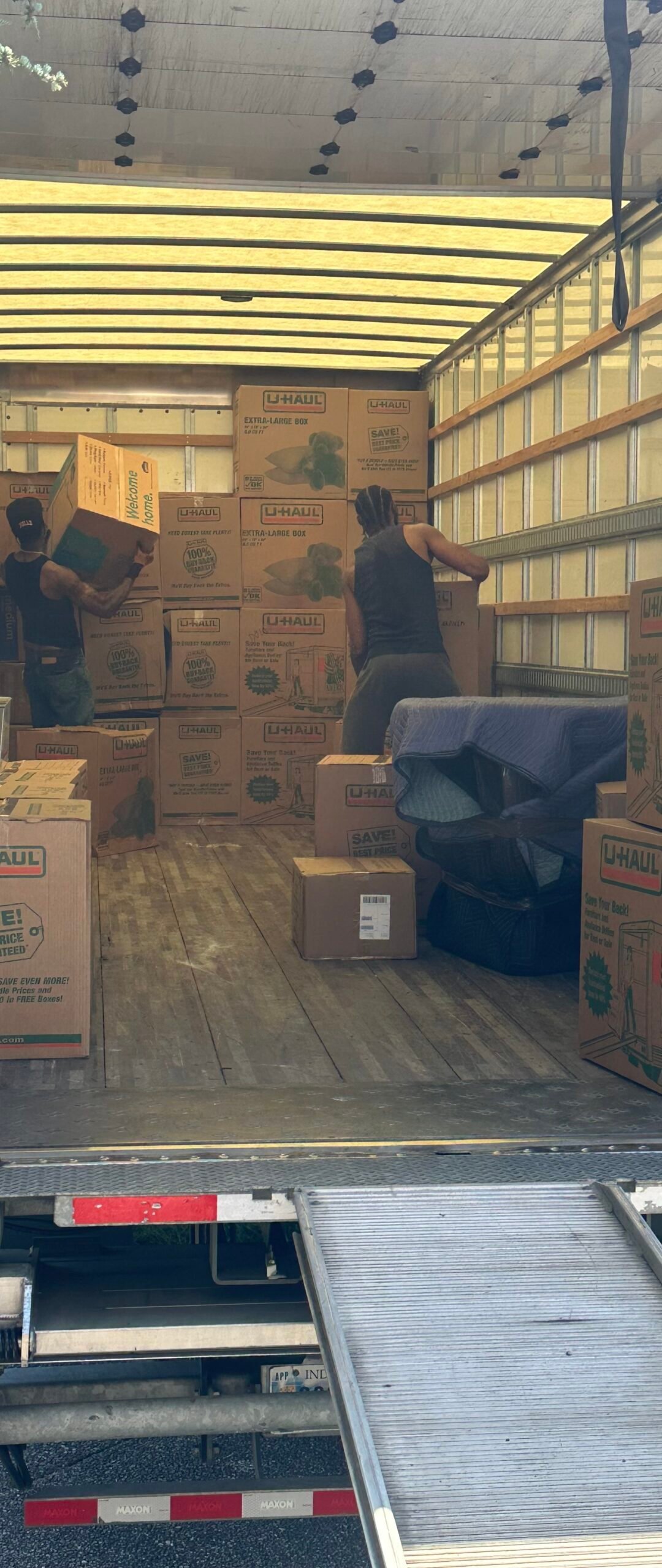
Existing crew photograph illustrating carton loading, not a documented Brentwood job.
Brentwood home office packing works best when the household or business separates inventory decisions from the work of wrapping, labeling and moving. This guide focuses on one specific part of a Middle Tennessee move rather than treating every room as the same packing task. Use the ten checks below to identify what you can prepare, what needs a clear handoff and what requires further discussion before moving day.
Nashville Packers and Movers can discuss your requested packing scope at (615) 710-9990. Share both addresses, an item list and the preparation already completed. If you are searching for packers for moving near me, compare the actual work offered: preparation, materials, packaging, handling and destination placement. A clear task list makes that comparison more useful than a broad promise of full service.
Define the Brentwood packing handoff
Begin with a written list of items included in this category. Mark belongings staying behind, things traveling with the household and anything that the responsible person has not yet decided about. Identify who can approve a change. This matters when several family members or coworkers prepare the same space: a carton can look finished while its contents or destination remain unclear.
Ask how materials and preparation will be handled for the specific inventory. An ordinary carton is not an answer to every shape, weight or sensitive surface. Discuss exclusions and responsibilities before supplies arrive. Describe tight stairs, narrow doors and the carrying distance at both addresses, even when the packing task itself seems small.
Ten practical home office packing checks
1. Map each workstation
Photograph cable connections before unplugging and assign a station code to the monitor, dock, keyboard and computer. A desk label alone does not tell you which adapter powers which device. Record both the original setup and the room where equipment will be used after delivery.
2. Back up before disconnecting
Complete a backup using your usual trusted method and confirm that important files can be accessed. Moving protection cannot restore data lost from a failing device. Keep passwords, recovery details and sensitive records under personal control rather than inside a public carton label.
3. Shut equipment down properly
Save open work, close applications and follow the manufacturer’s shutdown instructions. Allow equipment to cool before it is packed. Check whether a printer, scanner or other peripheral has transport locks or specific preparation directions that differ from a desktop computer.
4. Separate and identify cables
Remove detachable cables only when you understand the connection and label each end. Group them by workstation instead of placing every cable in one unmarked bag. Keep power adapters associated with their device and avoid tight bends or pressure against fragile plugs.
5. Protect screens without pressure
Choose protection that keeps hard objects away from the screen face and supports the frame. Do not place a keyboard, charger or stand against the display. Discuss curved screens, wide monitors and unusual mounting systems before selecting an ordinary household carton.
6. Check removable stands
Follow the maker’s directions before detaching a monitor base or desk mount. Photograph the hardware arrangement, bag fasteners and label the bag with the device code. Do not remove installed wall hardware or electrical fixtures simply because a moving date is approaching.
7. Plan printer preparation
Consult instructions for ink, toner, trays and transport position. Printer designs differ, so a generic instruction to remove every cartridge can create problems. Isolate loose paper and accessories, record what you removed and explain any leak or existing fault before handling.
8. Separate personal and work records
Keep identification, business credentials and sensitive paperwork in a personal folder. Confirm any employer rules about moving work equipment. A household packing plan does not automatically authorize transferring company hardware, customer records or restricted storage devices.
9. Label for a working first day
Mark the essential workstation cartons clearly and place power adapters, the required input devices and setup notes together. Avoid labeling equipment only as office miscellaneous. Identify what must be accessible first so the destination room can support work before decoration is unpacked.
10. Test in a stable workspace
Clear a suitable desk before opening electronics cartons. Check components for visible damage and compare them with the inventory before reconnecting. Retain packaging until the system is accounted for; stop if a cable, plug or device shows a concern requiring assessment.
A useful handoff record
Create a short record for each carton or item group, keeping sensitive information out of exterior labels. The record should be understandable to the person receiving the load, not just the person who packed it. Share a copy with the responsible household member or coordinator, and retain it outside the general cartons during the transition.
| Field | Information to record |
|---|---|
| Item group | What belongs in the package and which related parts travel separately. |
| Preparation | Who completed the task, what remains unresolved and any instructions needing review. |
| Destination | Room, shelf, closet or workstation and priority for access after delivery. |
| Handling | Weight concerns, fragile surfaces, orientation and protection discussed with the team. |
| Receipt | Package code, arrival count and the person responsible for reconciliation. |
Access and timing in Brentwood
Check the actual property rather than assuming all suburban homes have easy truck access. Ask the owner or property manager about approved parking, any gate arrangement and suitable loading times. Identify exterior steps, interior turns and areas where other work may block the route. A driveway photograph and a simple description can help the team understand the situation before dispatch.
Keep the packing zone distinct from the active walking route. Do not place unclosed cartons, loose hardware or personal essentials in the place a crew needs to turn with furniture. At the destination, choose where this category will be placed before unloading starts. Clear room labels reduce repeated questions when several cartons arrive together.
Make Each Workstation Reconnectable Without Guesswork

Give every connection a workstation identity
Start with a clear photograph of the working setup that does not expose passwords, private documents or personal data on screen. Assign a station code to the computer, monitor, dock, input devices and their accessories. Note where detachable cables connect at both ends. Use labels on the cables or suitable outer protection without covering essential product information or stressing the connection. A cable should be identifiable even when it is separated from the desk.
Keep power adapters with the correct device code rather than grouping them only by shape. Similar plugs do not prove electrical compatibility. Record the manufacturer’s specifications where needed and ask appropriate support if the match is uncertain. Do not test an unidentified adapter on a device merely to see whether it works after arrival. Keep small fittings and detachable monitor stands in their own labeled group so they cannot press against a display.
Confirm the backup and the first-workday essentials
Before disconnection, use your trusted backup process and confirm what it includes. Official instructions are available for Time Machine on a Mac and Windows Backup. Choose the process appropriate to the device and, for work equipment, the employer’s rules. A cloud sign-in or synchronization icon alone should not become an untested assumption that all required files are recoverable.
Identify the minimum equipment needed for the first work session: the right charger, required input devices, display connections and any authorized setup notes. Keep credentials and recovery information under personal or organizational control rather than on outside carton labels. Do not share passwords with a moving crew to simplify reconnecting a desk. Moving services and IT administration are different responsibilities and should be discussed separately.
Plan protection around screens and unusual peripherals
Record monitor dimensions, curved panels, fragile stands and any desk or wall mounts. Follow manufacturer instructions before detaching components. Select protection that supports the device without letting an adapter, keyboard or loose stand press against the screen. Original packaging may be useful when its inserts fit and remain sound, but inspect it for missing supports, damage or dampness instead of assuming it is ready.
Printers and other peripherals may have model-specific transport instructions for consumables, trays, locks and orientation. Do not apply a universal rule about removing cartridges or laying a device on its side. Locate the model information early and record what preparation is completed. Tell the packing team about existing faults or leaks before the unit is covered, and keep unresolved servicing outside the ordinary packing task.
Use a home-office packing and moving checklist at delivery
Prepare a stable workspace before opening electronics cartons. Check that the intended desk is ready and that cords will not cross active walking routes. Compare devices and accessories with the station inventory before reconnecting. If a plug, cable, screen or housing has visible damage, stop and obtain appropriate assessment rather than powering it on to test the move’s outcome.
- Match the computer, display and dock to their station code.
- Identify the correct power adapters before connection.
- Account for removable stands and hardware separately.
- Confirm that the backup and necessary setup notes remain accessible.
- Follow employer and manufacturer instructions for setup.
- Retain protection until the equipment inventory is complete.
When discussing Brentwood packing services with Middle Tennessee packers, separate protection and transport from data access, network changes and technical setup. A clear scope lets the household prepare the right materials and arrange any additional support before the first working day depends on it.

Ten Questions About This Packing Plan
Should cables stay connected during transport?
Follow the device’s instructions and the agreed preparation plan. Identify detachable cables before removing them and avoid strain on ports. Do not assume a connected cable or attached adapter is safe merely because it fits inside the package.
How do I identify similar chargers?
Use a device or workstation code and retain the manufacturer information. Plug shape alone does not establish compatibility. Keep uncertain adapters aside for identification rather than trying them on equipment after delivery.
Is synchronization the same as a backup?
Do not assume it covers every needed file or recovery scenario. Review the official documentation for your process and confirm what is available. Employer-managed devices should follow the organization’s approved backup arrangements.
Should passwords appear on setup labels?
No. Keep credentials and recovery information under appropriate personal or organizational control. Outside labels should identify the equipment and destination, not give access to accounts or expose confidential business information.
Can a monitor stand be removed?
Follow the model instructions and confirm responsibility. Record the hardware arrangement and label its fittings. Do not remove structural, wall-mounted or unfamiliar parts simply to make the item fit an ordinary carton.
Can accessories sit against a screen?
Keep hard objects from pressing against the display. Use appropriate support and identify loose stands, chargers and keyboards separately. A layer of soft wrapping alone does not settle every pressure or impact risk.
Must every printer cartridge be removed?
Printer designs vary. Follow the exact model’s transport guidance for consumables, trays, locks and orientation. Record completed preparation and tell the team about leaks or faults rather than applying a generic instruction.
What should be available for the first workday?
The essential devices, matching adapters, input tools and authorized setup notes. Identify those packages clearly and confirm their destination. Keep the plan modest enough that it does not depend on unpacking every office carton.
What if equipment shows damage at delivery?
Record the visible concern through the agreed process and seek appropriate assessment. Do not power on a damaged device or try an uncertain charger merely to demonstrate that the equipment still functions.
Does packing include network or account setup?
Do not assume so. Confirm the actual scope and keep IT administration with the authorized person. Transporting a computer does not itself authorize access to its data, accounts, security settings or business systems.
Connect this checklist with the rest of the move
This category should fit into a room-by-room plan rather than competing with other packing work for the same space. Choose the sequence, designate a temporary keep area and tell helpers when a category is ready for handoff. Avoid marking a carton finished until its label, closure and destination are settled. A final walk through closets, shelves and work areas helps catch overlooked belongings while access is still available.
Use the general packing preparation guide for the wider household sequence and our mirrors and framed artwork guide for sensitive wall pieces. These linked guides cover different decisions; they do not replace a review of unusual items or instructions for your specific property.
Discuss your Brentwood packing scope
Bring the inventory, access details and unresolved tasks to a focused conversation. Call Nashville Packers and Movers at (615) 710-9990 or use our contact page. Explain your requested date and the work identified in this checklist so preparation can be discussed clearly.